You increase last-minute escape room bookings by keeping free slots visible online until shortly before the game starts and bookable on a smartphone in a few steps. Your booking system needs real-time availability, a short booking cut-off and an immediate confirmation for this. Cancelled slots must reappear in the calendar just as quickly.
Why short-notice slots stay empty
A free room on a Saturday afternoon is not always a sign of low demand. Often spontaneous guests simply cannot find the slot or cannot book it. Typical reasons are:
- An early booking cut-off. Online booking closes, for example, the day before, even though your team could prepare the room at short notice.
- Phone bookings only. People planning spontaneously are reluctant to call, especially in the evening or at the weekend.
- A booking that is awkward on a smartphone. Spontaneous guests almost always search and book on the move.
- Cancellations that are not released at once. A slot a group cancels in the morning only reappears when someone releases it by hand.
Setting the booking cut-off as short as possible
The booking cut-off decides how long before the start guests can book online. Set it for each room as far as your venue really allows. If the room is reset after the previous group anyway and someone is at the front desk, booking until shortly before the start may be possible.
For last-minute escape room bookings this is the most important lever. Every hour you move the cut-off back is an hour in which spontaneous guests can still get the slot.
Booking on mobile in a few steps
Anyone wondering on a rainy afternoon what the group could still do searches on a smartphone. Your booking should work there just as well as on a computer:
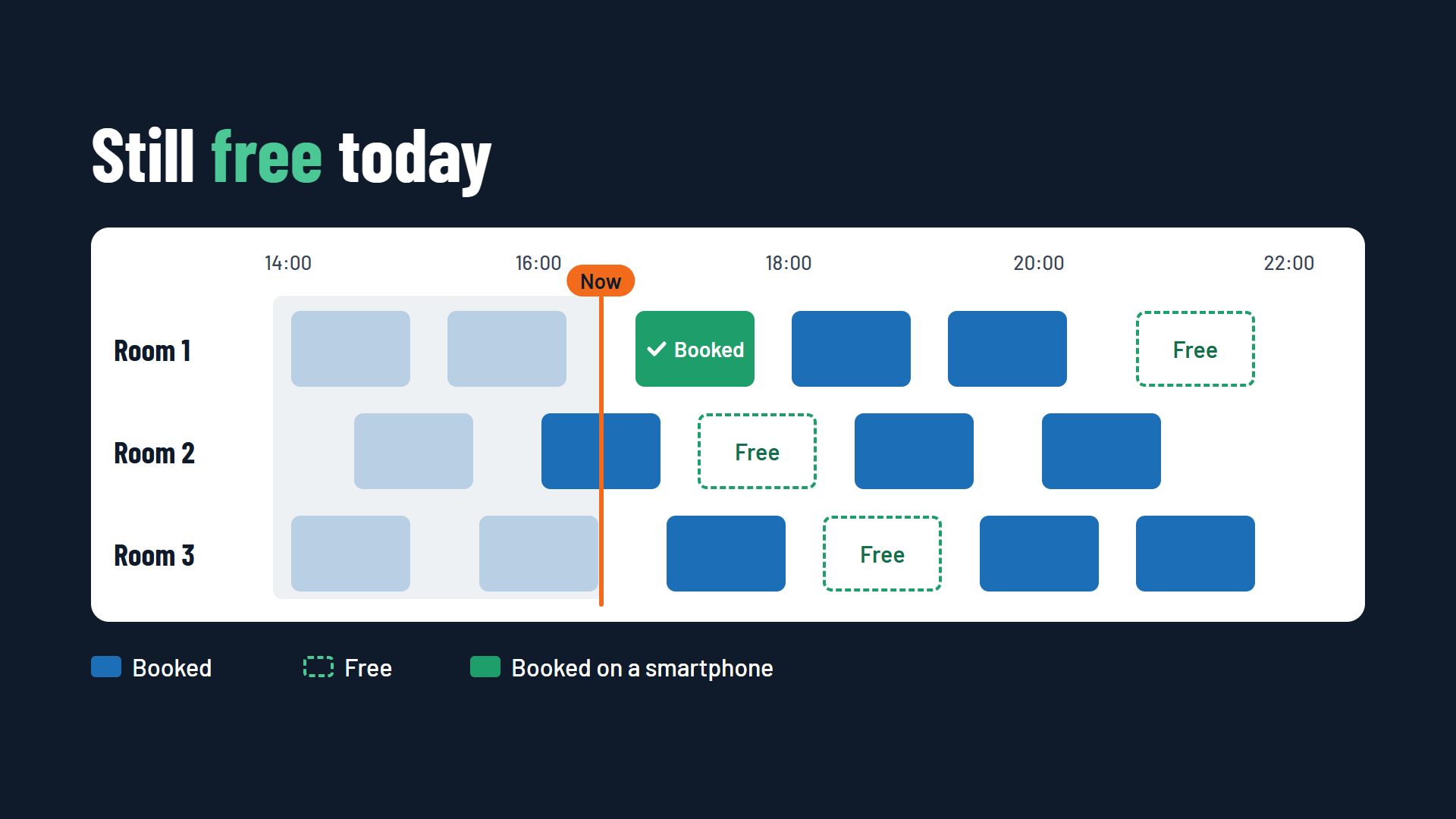
- Show today's free slots first, without making the guest scroll through a monthly calendar.
- Few fields: name, contact details, number of players.
- Common mobile payment methods, so paying works without typing in a card number.
- An immediate confirmation with the address and arrival time that the guest can open on the way.
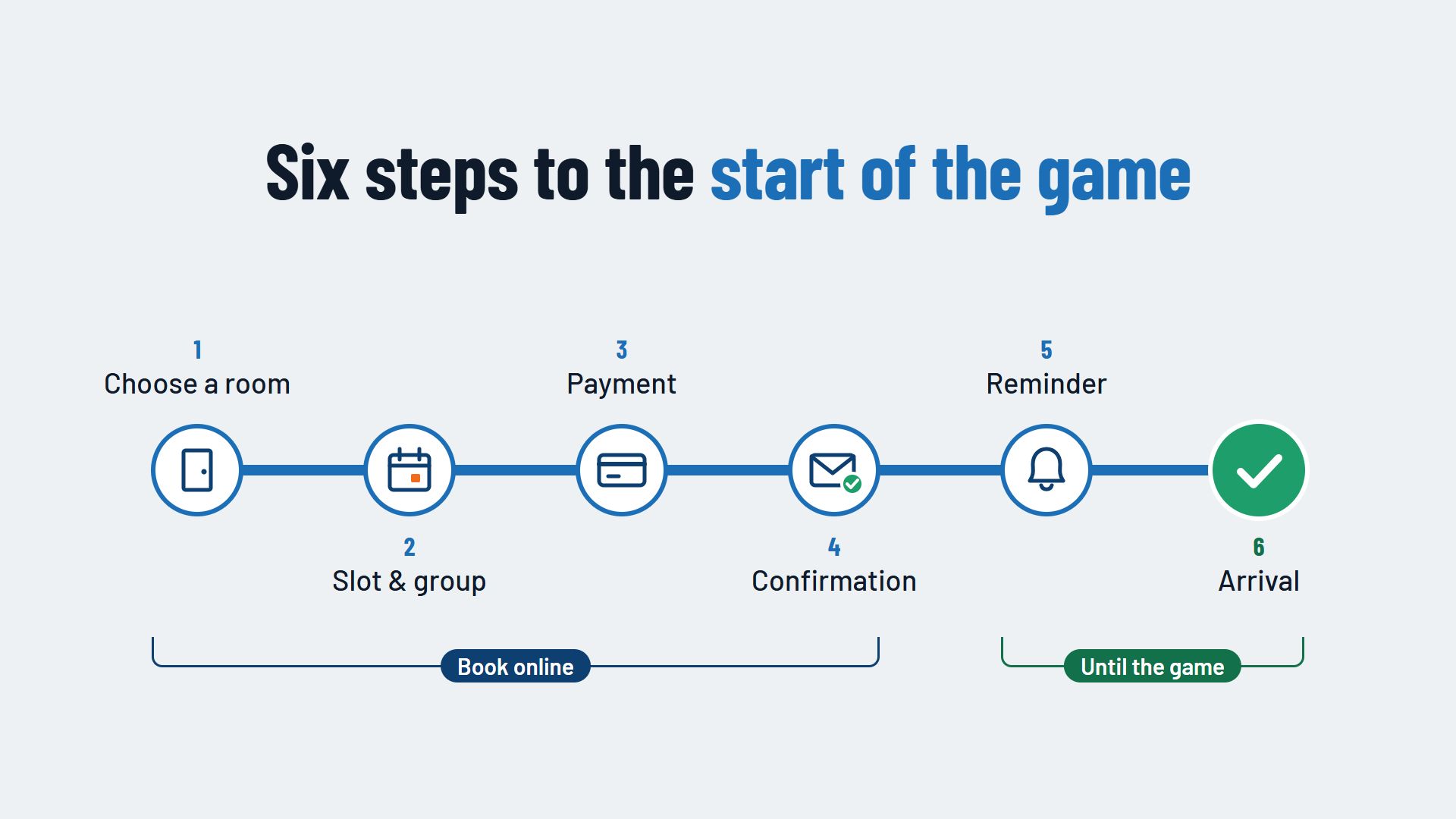
How to design the whole journey from room to arrival is described in the article The escape room booking process.
Making free slots visible
A free slot has to be found before it is booked. Show on your home page and on every room page what is still free today, and link straight to the booking for that slot. Also check where the booking link in your Google business profile leads. It should point to the booking, not to a general contact page.
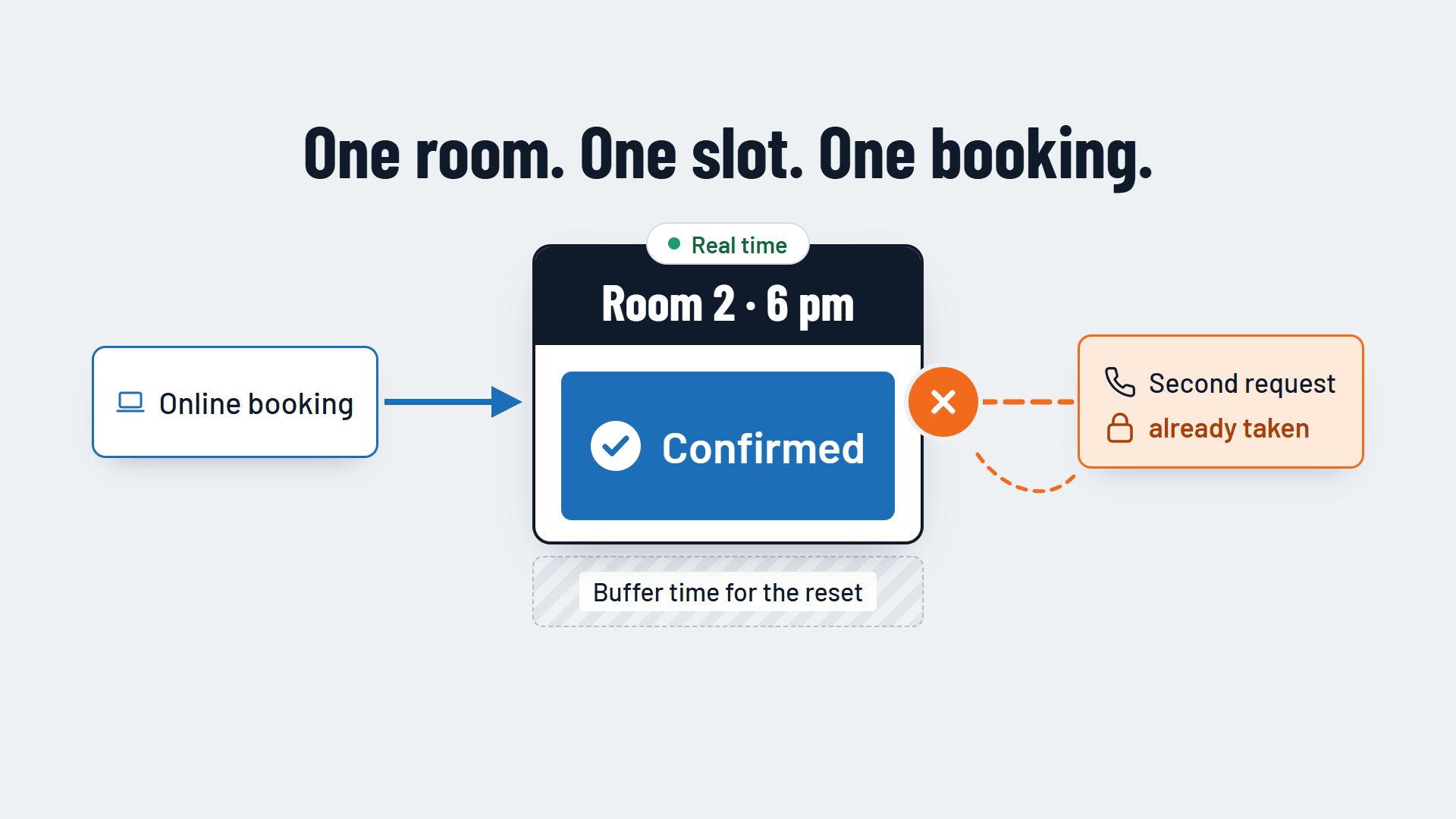
For this display to be accurate, your booking system must keep availability in real time. How that prevents double bookings is covered in the article Avoiding double bookings in an escape room.
Releasing cancellations at once
Short-notice cancellations cannot be avoided entirely, but you can make sure the slot is bookable again straight away. When guests cancel themselves through a link in the confirmation or in the automatic booking reminder, the system releases the room without your team having to do anything.
A waiting list is even faster: guests who wanted a fully booked slot are notified as soon as it becomes free. How this works is described in the article A waiting list in your booking system, using bowling centres as the example.
Walk-in guests at the front desk
Someone standing at the door without a booking is also a last-minute booking. Book such groups at the front desk in the same system before they enter the room. The calendar then stays up to date, and nobody books the same slot online at the same time.
Using short-notice prices with care
Some escape rooms offer free slots on the same day at a lower price. This can help, but it has a flip side: guests quickly learn that waiting pays off and stop booking early at the full price. Use discounts on purpose for times that are regularly quiet. More on how prices based on time and demand work can be found in the article Dynamic and seasonal pricing.
Conclusion: last-minute escape room bookings need short paths
Spontaneous guests book when they can find free slots quickly and book them securely on a smartphone in a few steps. A short booking cut-off, real-time availability and cancellations released at once turn empty slots into games played the same day. You will find more features on the page Booking system for escape rooms.
How free slots can be sold online and on mobile in real time is shown, for example, by Flexybox.