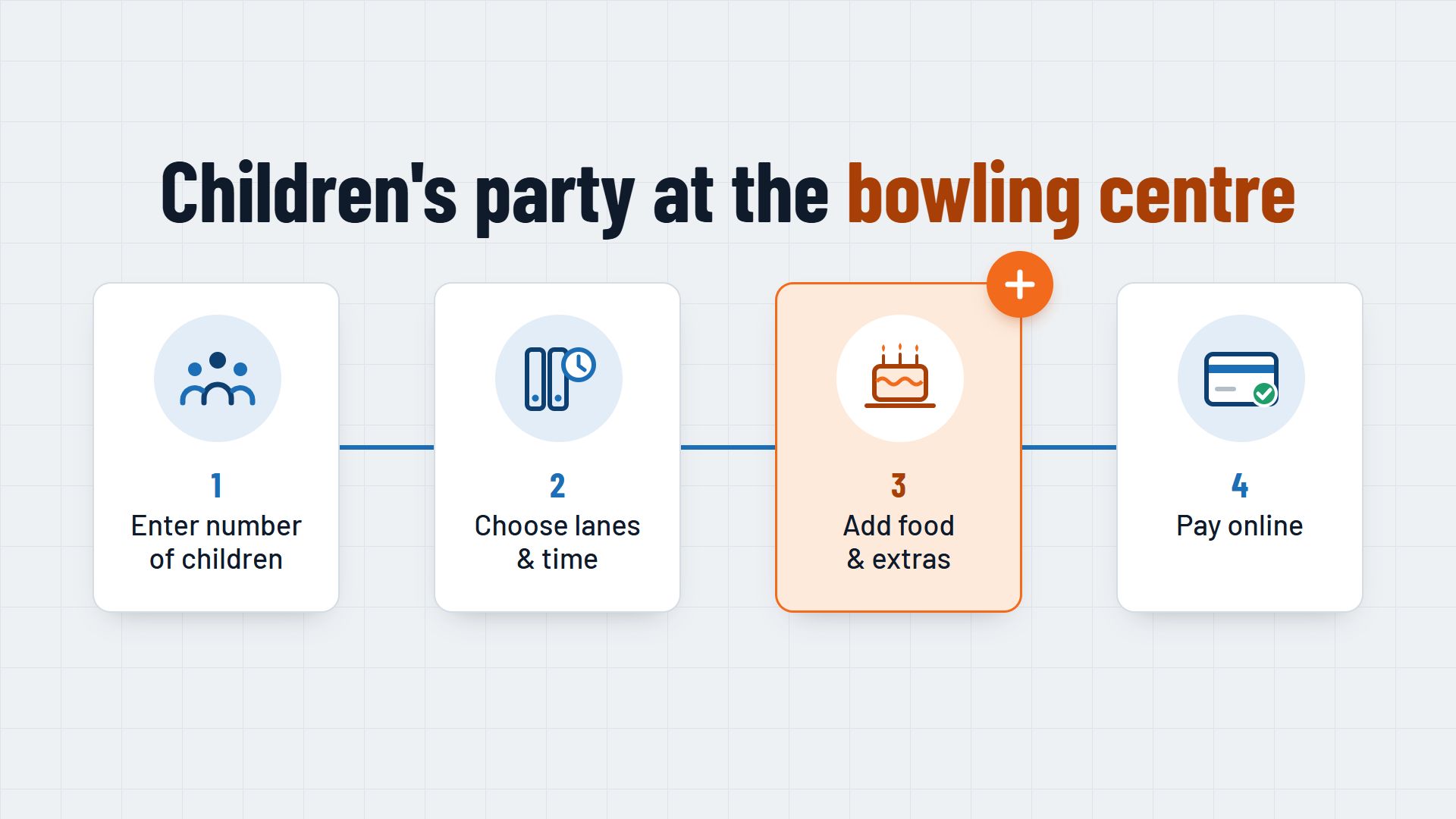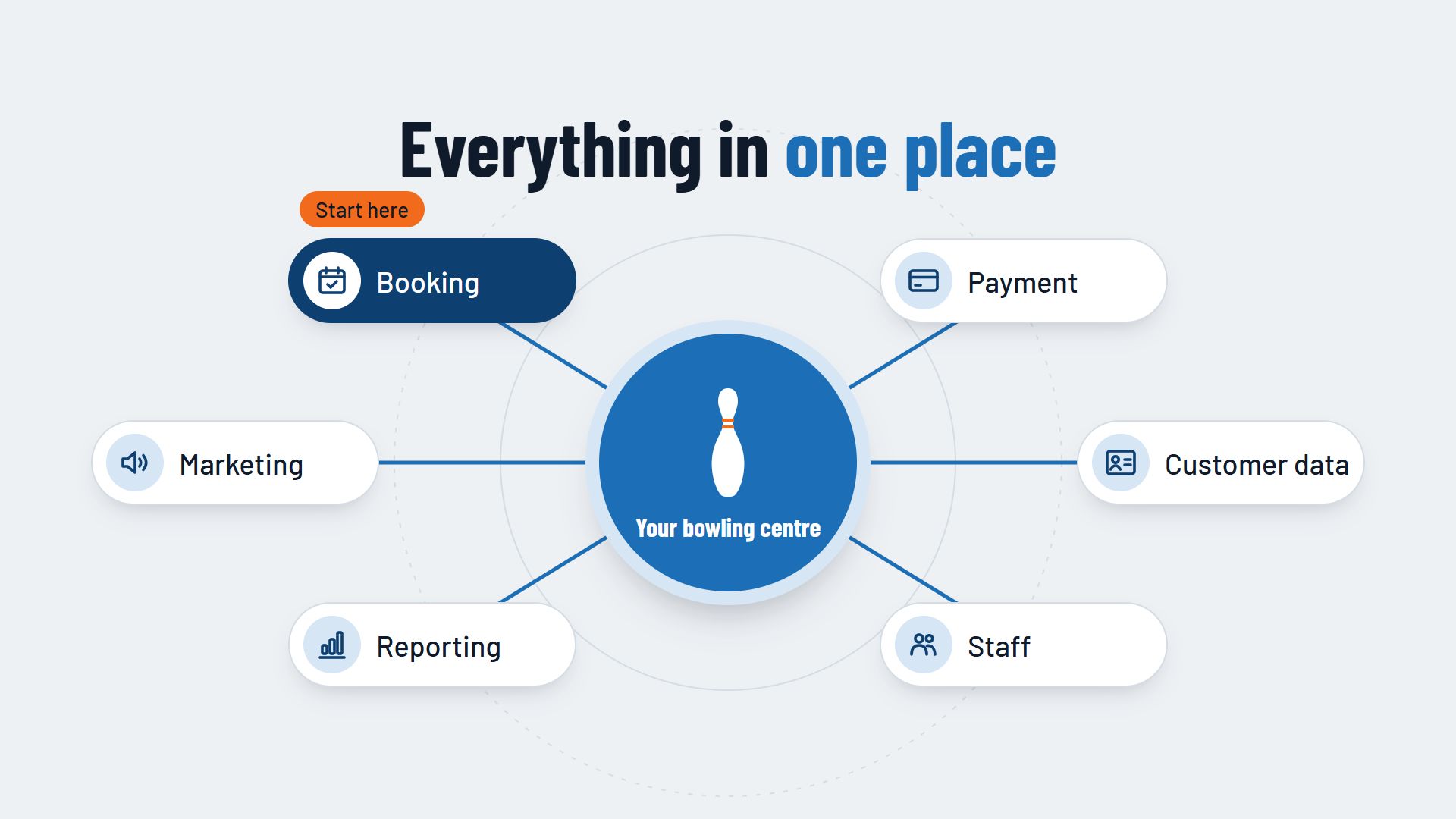
Digitalising your bowling centre means moving the processes that run on the phone, on paper and in spreadsheets today into one system that your team and your guests use together. It covers seven areas: booking, payment, customer data, staff planning, reporting, marketing and day-to-day operations. You do not have to switch everything at once. Start with online booking, because almost everything else builds on it.
This guide gives you an overview of each area, shows what it brings your centre and points you to the articles that go deeper into the topic. At the end you will find an order in which you can digitalise your bowling centre step by step.
What digitalisation means for a bowling centre
Many bowling centres are already partly digital: there is a website, a till and perhaps a spreadsheet for bookings. The problem is rarely that nothing is digital. The problem is that the individual parts do not work together. The booking is in the spreadsheet, the deposit on the bank statement, the food request on a slip of paper and the guest's phone number in the notebook at the counter.
A digital bowling centre brings this information together. When a guest books a lane online, the lane, time, number of guests, food and payment are all in one place. Your team sees the same overview, and later you can analyse what really happens in your centre. To find out what manual administration costs in time and mistakes, read the article Booking system vs. Excel.
Booking: guests book for themselves
Online booking is the core. Guests see free lanes, choose the day and time and get a confirmation straight away, even in the evening and at weekends when nobody answers the phone. Your team spends less time on the phone and has more time for the guests in the centre. Double bookings disappear, because each lane can only be booked once.
Make sure that groups, parties and packages can be booked online too, not just individual lanes. Read more in the article Why bowling centres need online booking.
Payment: deposits and paying online
When guests pay a deposit or the full amount when they book, the booking becomes more binding. At the same time, nobody has to check bank transfers any more or collect payment from each member of a group at the end of the evening. Find out which payment methods your guests expect and what fees they involve.
Together with automatic reminders and clear cancellation terms, online payment is an effective way to prevent empty lanes. Read Online payment for bookings and How to reduce no-shows at your bowling centre.
Customer data: one guest profile instead of lots of notes
Every online booking creates a record: name, contact details, occasion, packages booked. From this you can see who is coming for the first time, who books regularly and which companies hold their Christmas party with you every year. Your team can recognise a regular without having to ask what they wanted last time.
What matters is that this data is kept in one place and not spread across spreadsheets, email inboxes and notebooks.
Staff: rotas based on bookings
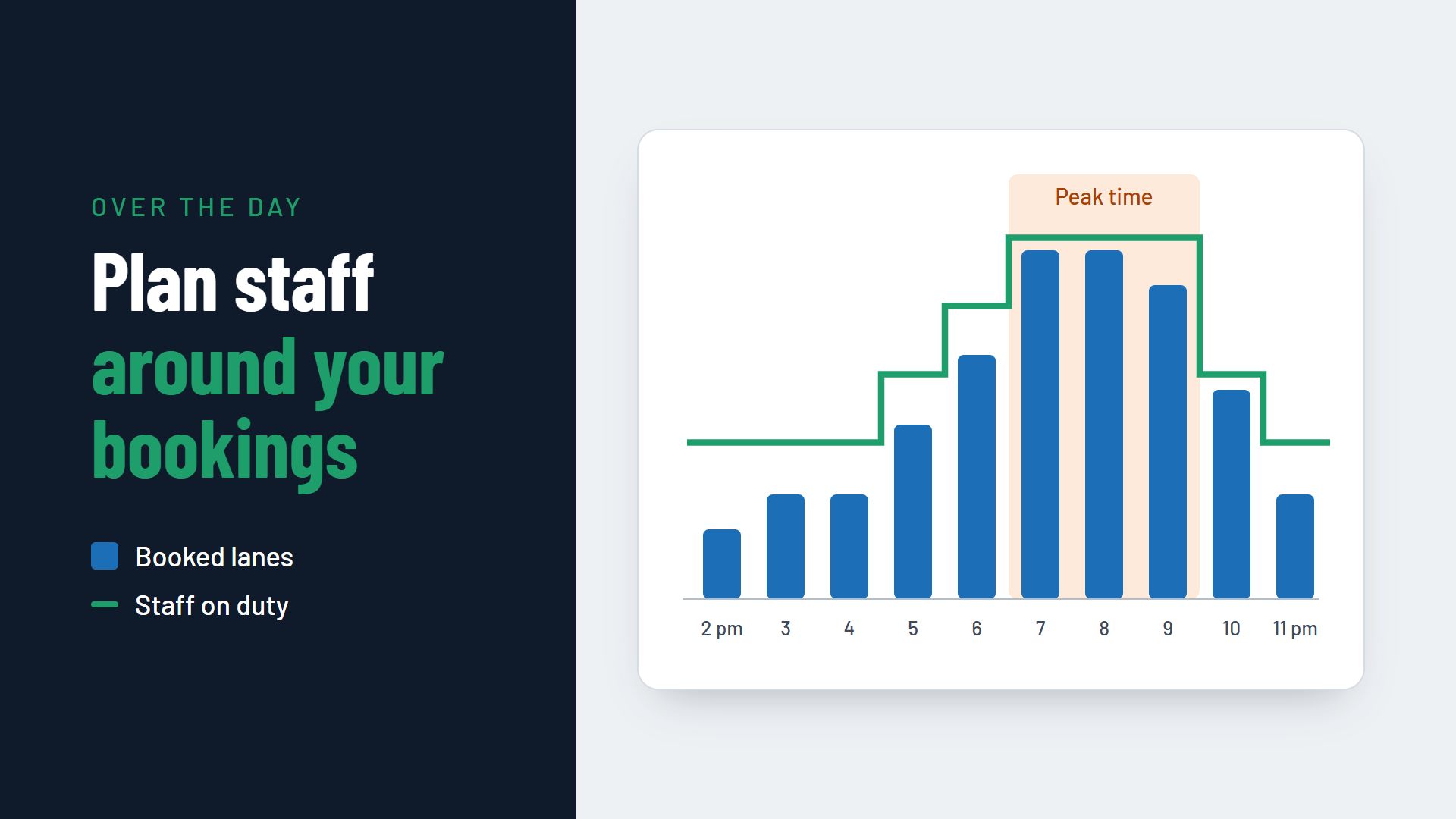
If you know how many lanes are booked at what time and how many guests are coming with food, you also know how many staff you need at the counter, in the kitchen and on the lanes. Booking data from past months shows recurring peak times, and the current bookings show where the coming week differs from them.
That way you put your team where the guests are, instead of planning by feel. To find out how this works in practice, read the article Staff planning in a bowling centre.
Reporting: figures instead of gut feeling
A booking system collects the figures you need for decisions as it goes: occupancy per lane and hour, revenue per weekday, the share of group bookings, cancellations and no-shows. Without these figures, much remains guesswork, for example whether Tuesday afternoons pay off at all.
With the reports you can set prices by weekday, time and season and fill quiet periods in a targeted way. To find out how, read the article Dynamic and seasonal pricing for bowling lanes.
Marketing: reaching guests in a targeted way
Digital marketing does not start with an advertising campaign, but with guests being able to find you online and book directly. A booking button on your website, in your Google profile and on your social media channels turns interest into a booking.
With your guest data and reports you can also market in a targeted way: an offer for quiet afternoons, an invitation to business customers before the Christmas party season or a newsletter with new packages for children's parties. Here too, check the data protection rules before you email guests.
Operations: lanes, food service and the daily routine
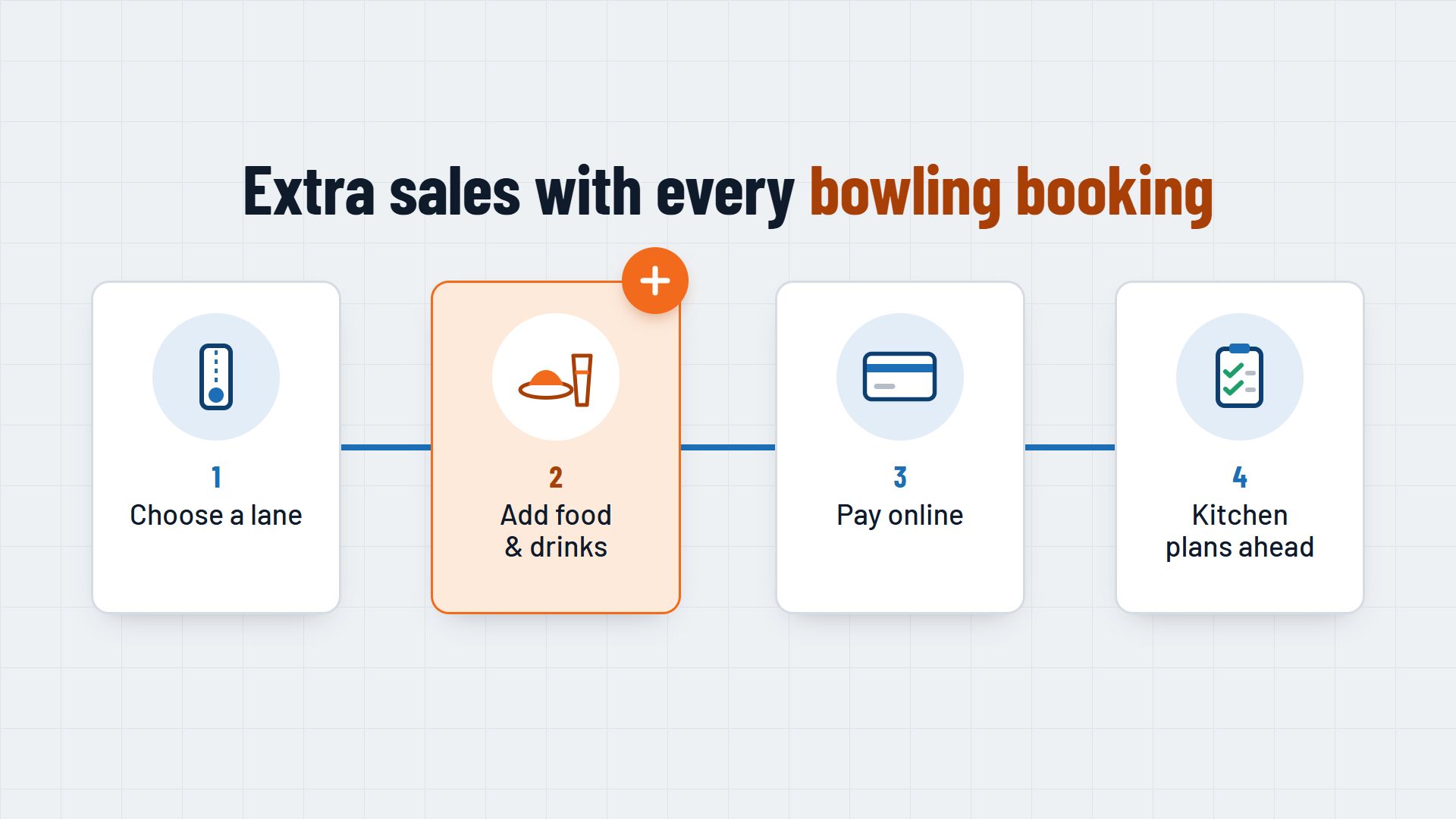
Day-to-day operations show whether digitalisation is working. Your team should be able to see at a glance which lane is booked when, which group is about to arrive and what it has ordered. When guests choose food and drink as they book, the kitchen can prepare, and there are fewer questions on the night. To find out how to set this up, read the article Selling food and drink with bowling bookings.
Guests without a booking belong in the same system too. If you record walk-ins at the till as bookings, you can see in the overview which lanes are really free, and in the reports how busy it actually was.
In what order to digitalise your bowling centre
Each area builds on the previous one. This order makes sense because each step provides the data that the next one needs.
1. Introduce online booking
Bring all your lanes, group offers and packages into one booking system and move phone and spreadsheet bookings over to it. Your team also enters phone bookings and walk-ins there, so there is only one overview.
2. Add payment and reminders
Introduce a deposit or advance payment, first for groups and parties, then for all bookings if it suits your centre. Add automatic confirmations and reminders.
3. Bring food, drink and extras into the booking
Offer packages and extras directly in the booking process. That way the kitchen and the bar know in advance what is coming.
4. Analyse the data and plan your rota around it
After a few weeks you will have enough booking data to spot patterns. Use it for staff planning and check where different prices for quiet and busy times are worthwhile.
5. Reach guests in a targeted way
Targeted marketing only pays off once your guest data is kept cleanly in one place. Clear up the data protection questions with your adviser first.
One system or lots of separate tools?
There are separate programs for every area: one for bookings, one for payments, one for the newsletter, one for the rota. That can work, but every gap between two programs means someone transferring data by hand. That is exactly what you wanted to get rid of by digitalising.
So when you choose, check which areas a booking system covers itself and how it works with your till and your other programs. Ask whether the data can be exported, whether your team can use the system without lengthy training and how the setup works.
Conclusion: digitalisation starts with booking
Digitalising a bowling centre is not a single project but a series of steps. Starting with online booking lays the foundation for payment, guest data, staff planning, reporting and marketing. Each further step uses the data that the previous one provides.
To find out which features a booking system should have for your centre, read the page Booking system for bowling centres. One example of how booking, payment and reporting can come together in one system is Flexybox.